Create a season (name, slug, dates)
Step 1 — There is no createSeason service or route; the `seasons` table (with a draft/active/completed/archived status) exists, but every season in the app today comes from seed.ts. No form exists to stand up a new season.
Season tied to a discipline; rubrics auto-populate
Step 2 — There's no discipline concept anywhere in the schema yet. Every season today implicitly means "theater"; there's no discipline picker or automatic rubric-set cloning on season creation.
Chapter admin sets the season calendar
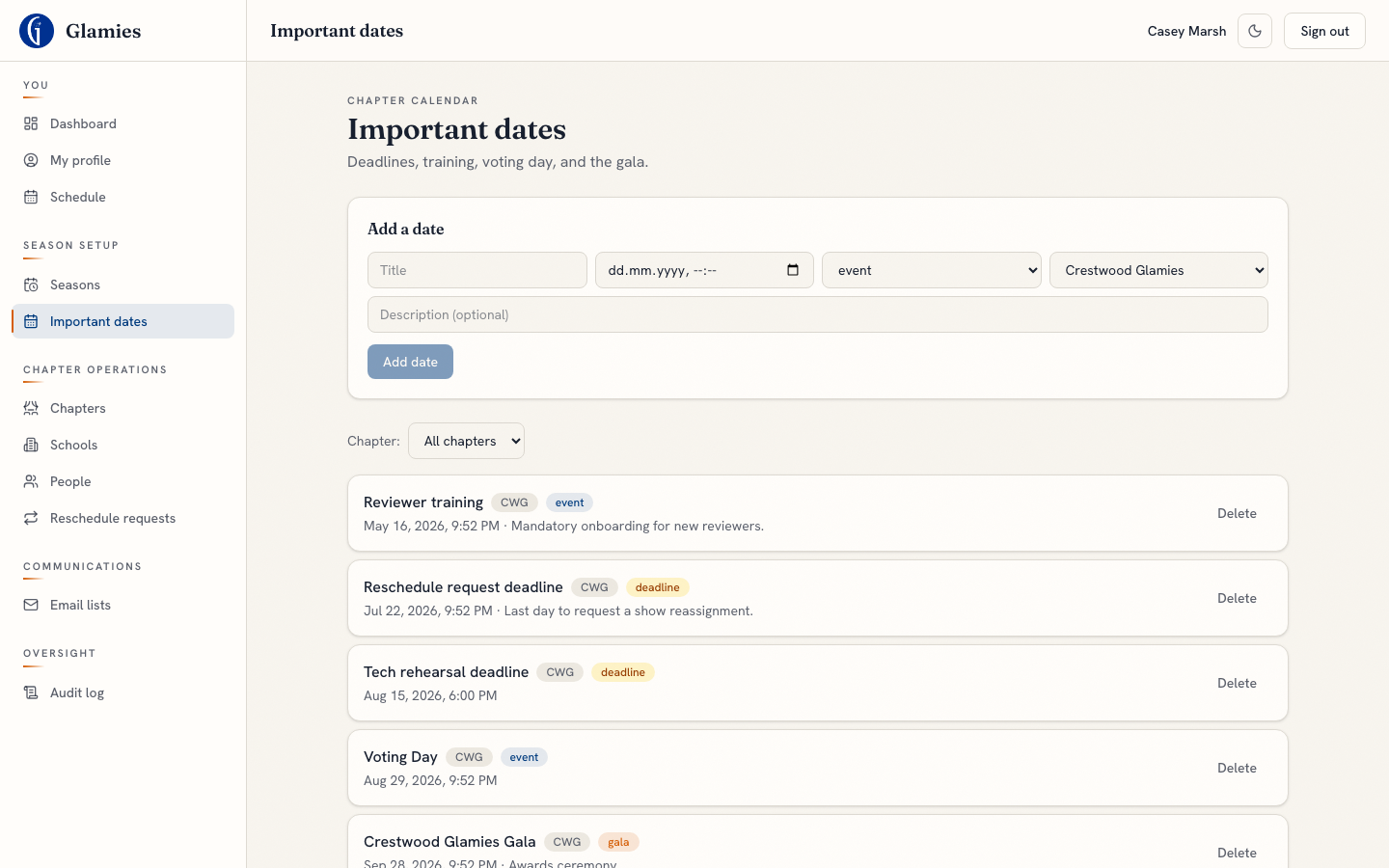
Step 3 — Built: the Important Dates page lets the chapter admin add/remove calendar entries (training day, voting day, gala, deadlines) tagged by kind and scoped to a chapter. The season already has Reviewer Training, Voting Day, and Gala dates from seed.
New calendar date added
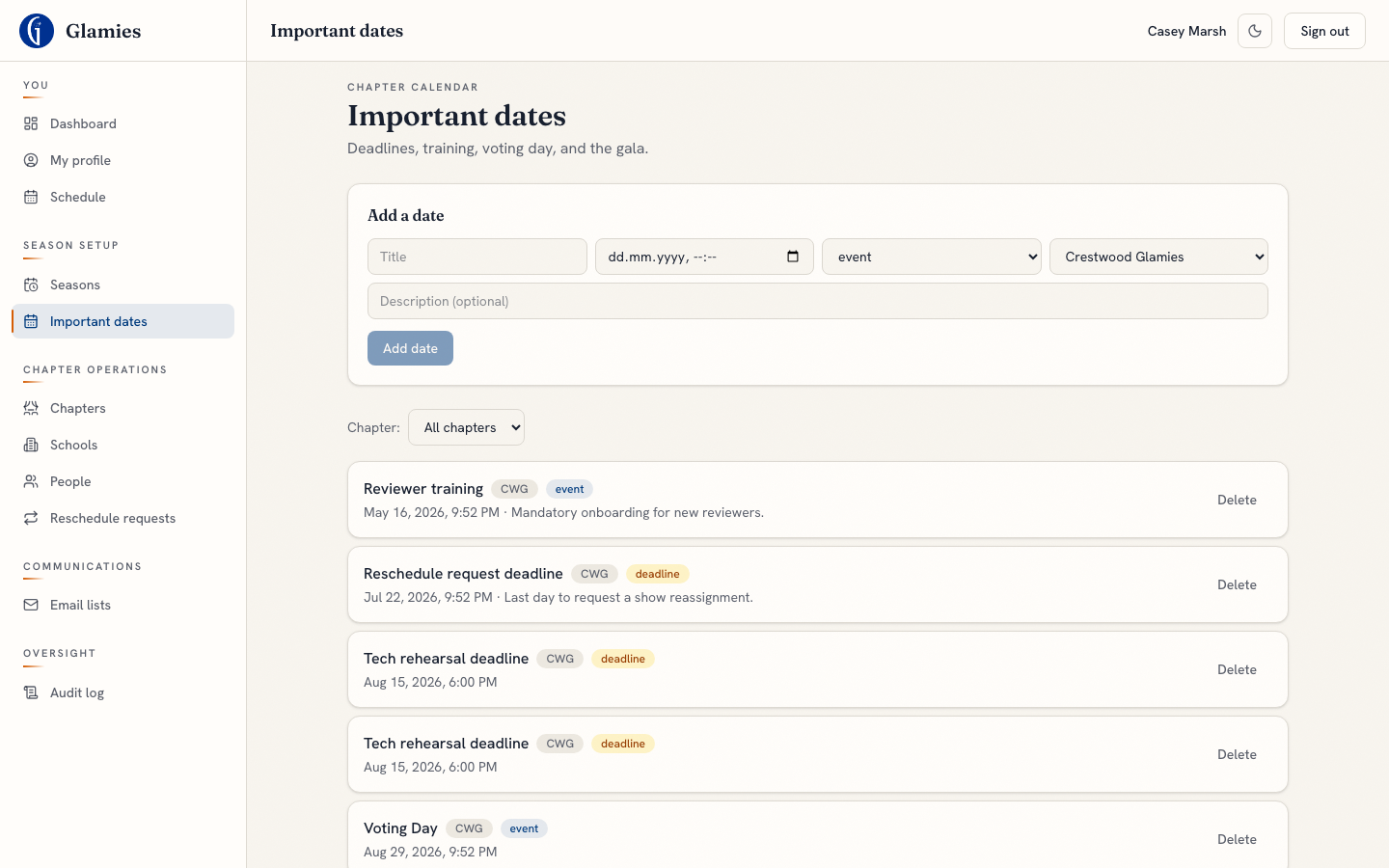
Adding a date writes an `important_dates` row immediately — no draft/publish step, it's live on the shared calendar right away.
Schools list — view only, no creation form
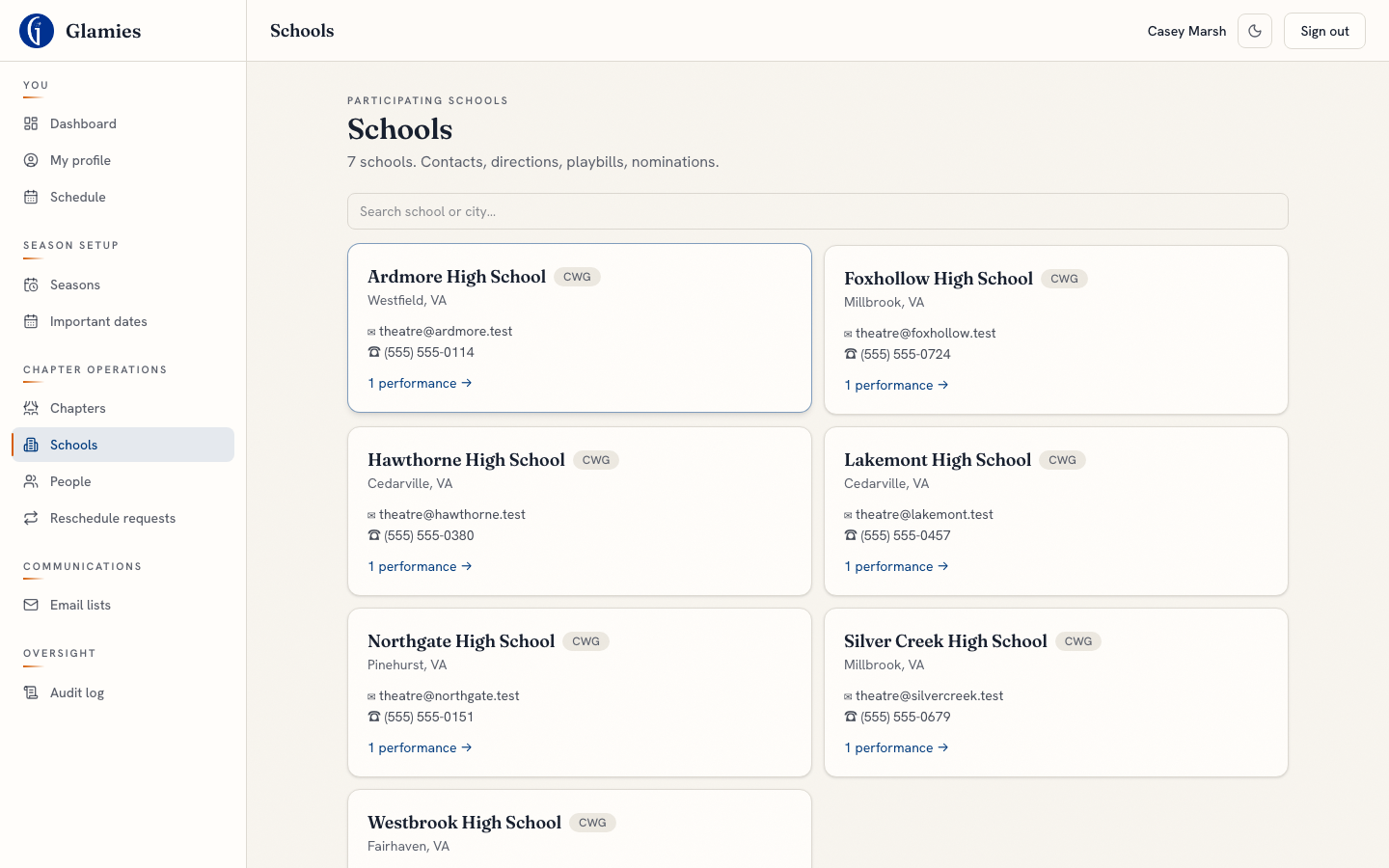
Step 4 — `admin.listSchools`/`getSchool` are read-only; there's no createSchool or editSchool endpoint. This is the closest thing that exists today: a searchable list of the season's already-seeded schools with contact info and performance counts.
School profile — what's visible today
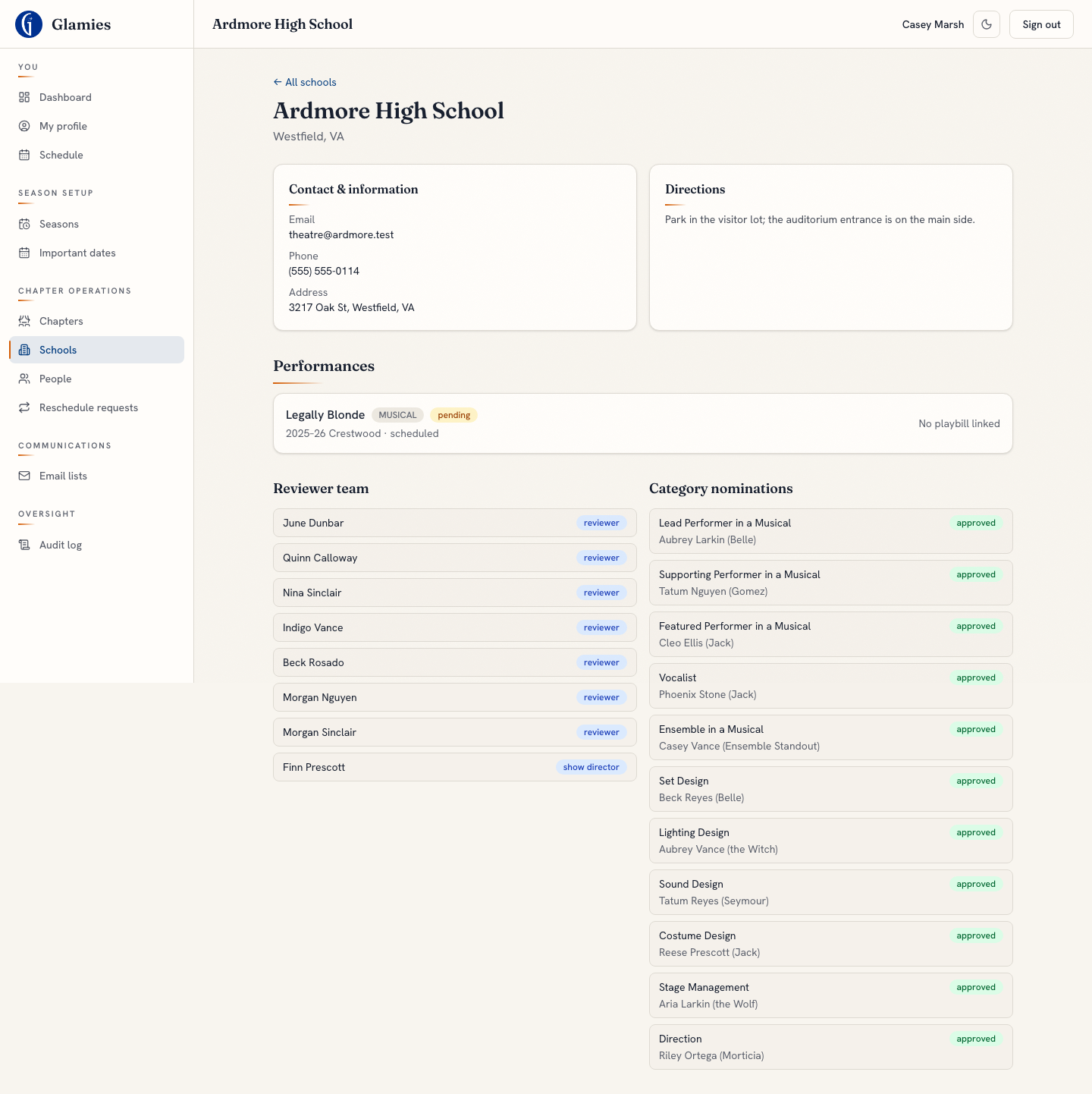
Step 5 — The school detail page shows contact info, directions (covers "parking/directions"), performances, and the reviewer team. What's missing: no school-liaison field, and no automated "≥3 reviewers per team" readiness check — a chapter admin has to eyeball the reviewer-team list themselves.
Create performances (title, type, school, date, venue, playbill)
Step 6 — No createPerformance/edit service exists; the `performances` table (with director, playbill URL, scheduled time, venue) is fully seeded, never authored in-app.
Assign a show director to each performance
Step 7 — The doc marks this "partial" because `admin.assignRole`/`removeRole` exist as backend services (server/services/admin.ts), but a repo-wide search turns up zero UI routes that actually call them — no page currently has a role-assignment control wired up. `performances.directorId` is populated by seed only.
Activate the season (draft → active)
Step 8 — Only `admin.setVotingDay` toggles a season-level flag (for voting day); there's no general draft→active status-transition endpoint. The season you see throughout this app is already seeded directly as "active".
Author award categories for the season
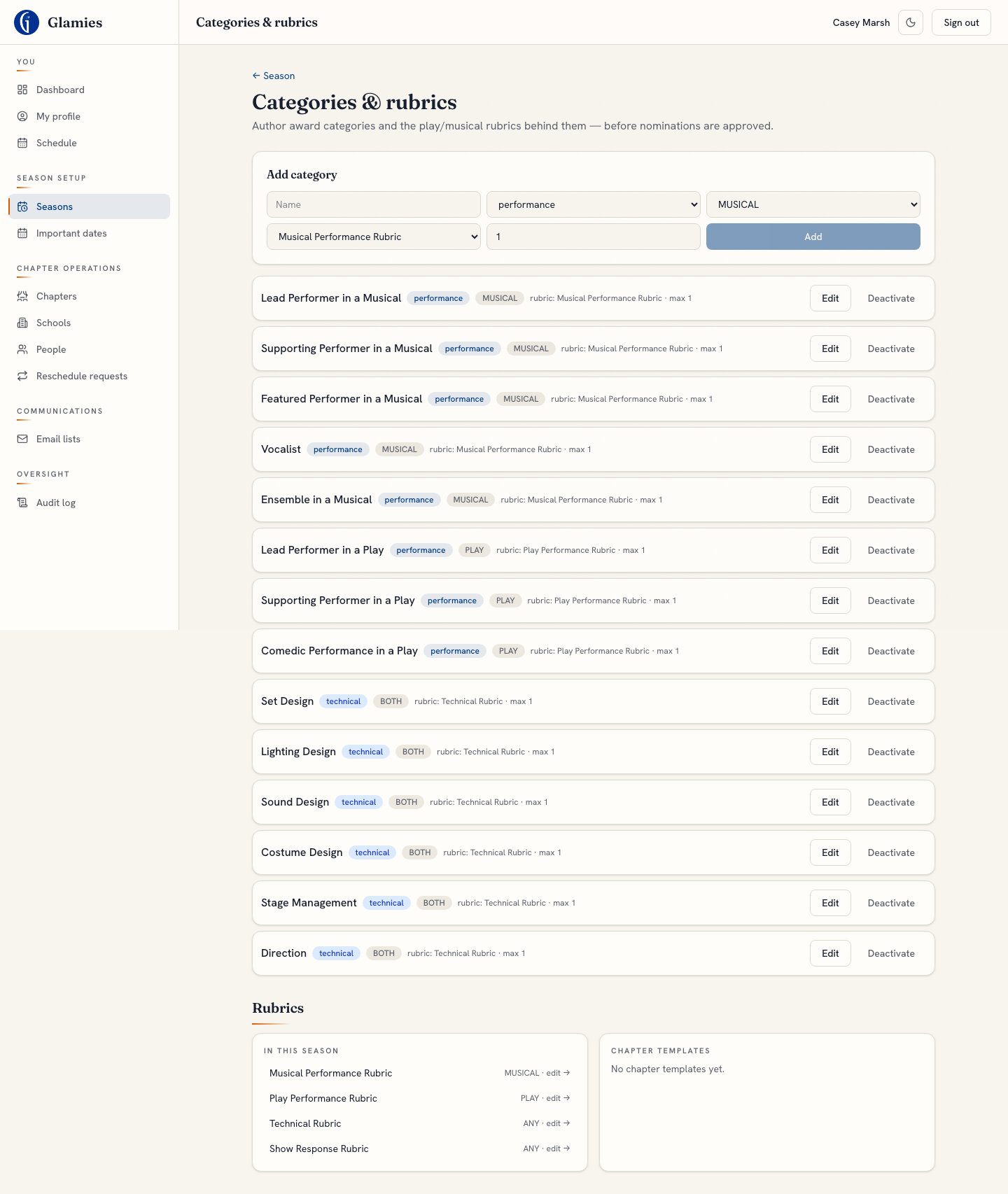
Step 9 — Built: chapter admins add/edit award categories (type, PLAY/MUSICAL/BOTH, linked rubric, max nominees) and activate/deactivate them here, plus see every rubric already in the season or available as a chapter template to clone in.
Edit a rubric's criteria and level descriptions
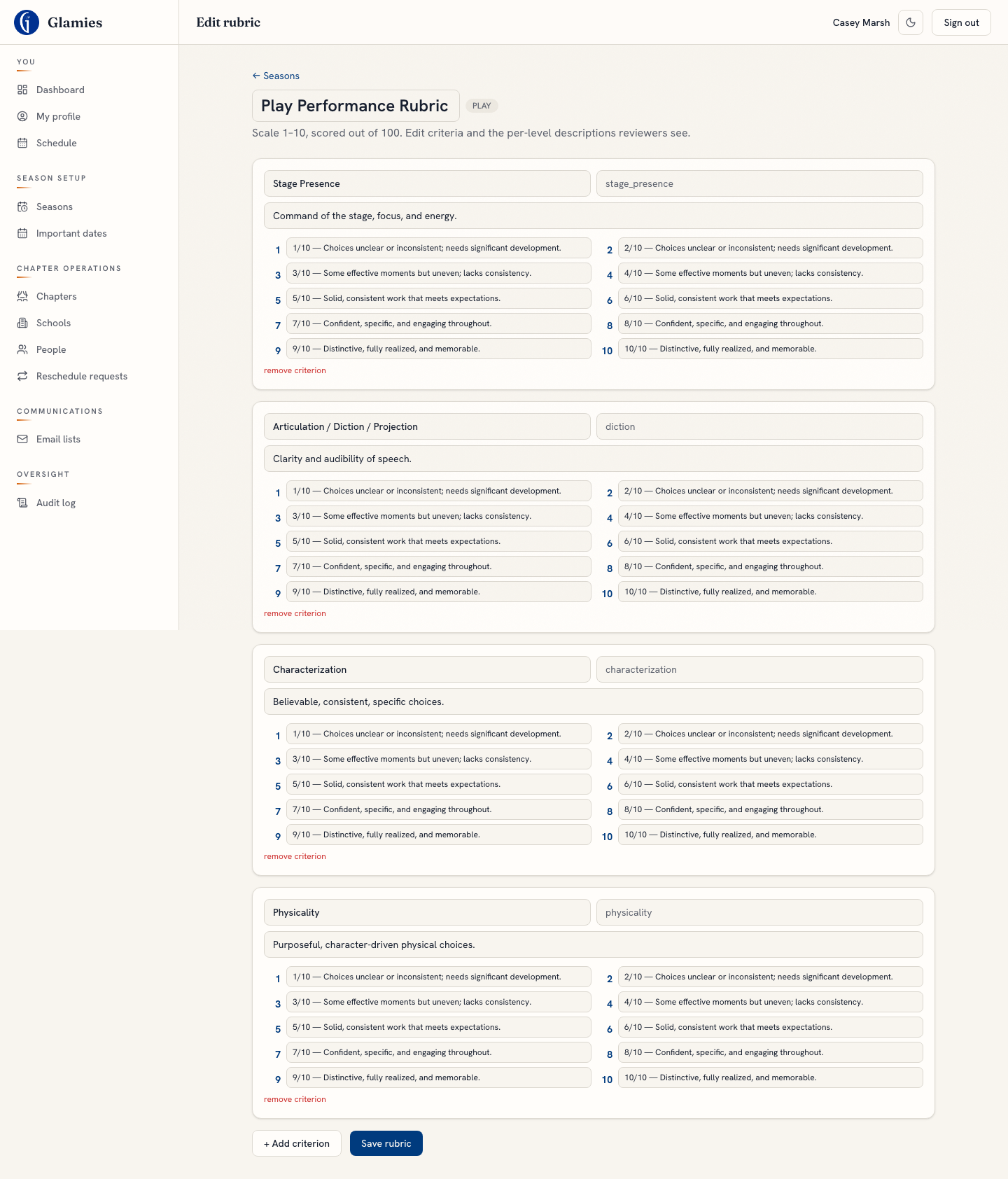
The rubric editor lets the chapter admin add/remove criteria and rewrite the description shown at each of the 1–10 levels — the same text reviewers see live while scoring (the "visible rubric").
Rubric saved
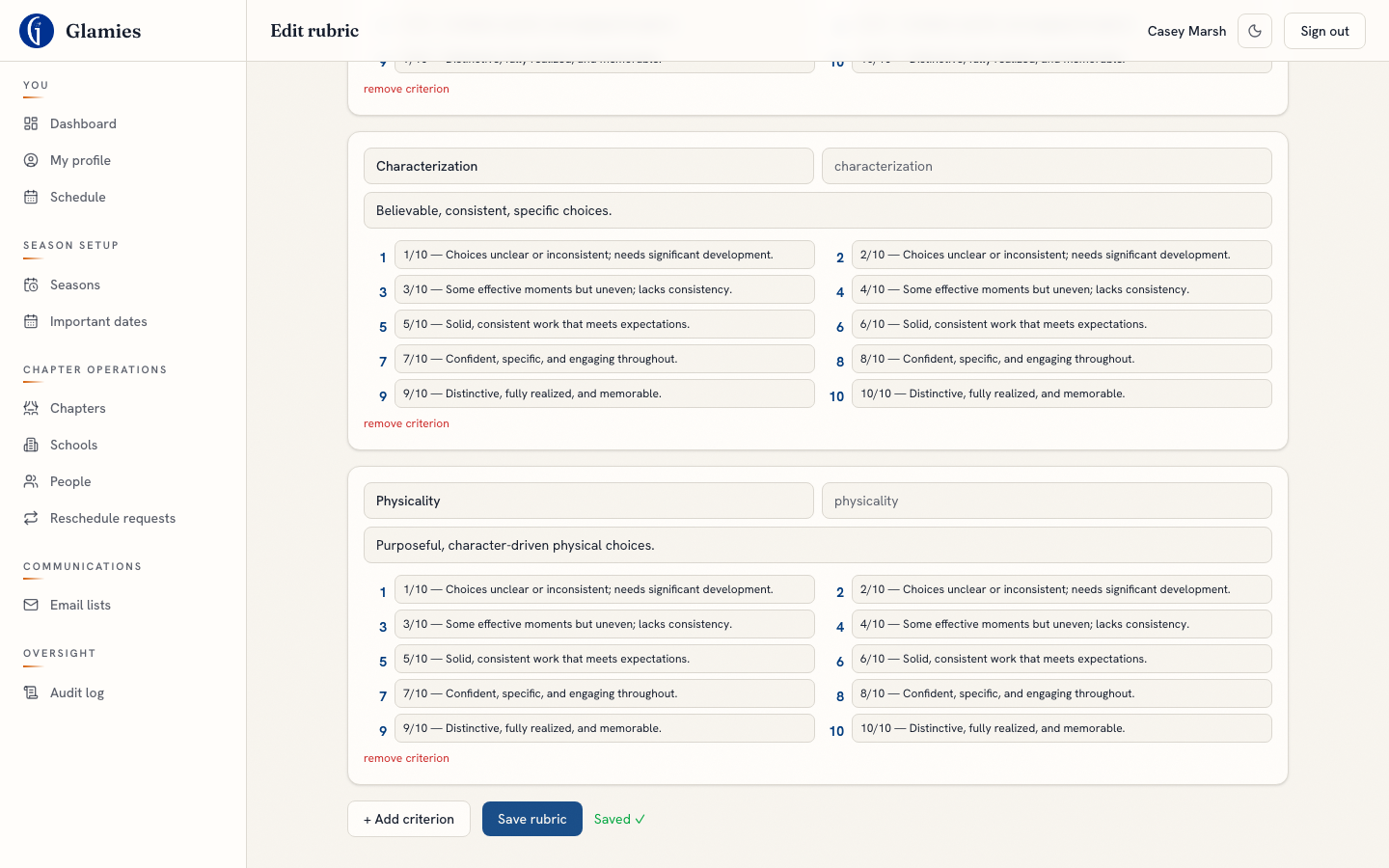
Saving updates the rubric in place — every performance using this rubric immediately shows the revised level description to reviewers.